Fill out our form, and we'll connect with you within 1 to 2 business days.
Phone: (925) 989-7737


When someone lands on your website, you have a few seconds to capture their attention and build trust. Long before they read your content, visitors are already reacting to what they see. Strategic website visuals, including hero images, videos, icons, and layout choices, shape first impressions and influence whether users stay, explore, or move on.
Visuals are more than decoration. They are powerful tools for communication and conversion. When used with intention, visuals help explain value quickly, strengthen credibility, and guide users toward action. A thoughtful visual strategy can turn a website from a simple online presence into a high-performing digital experience. In this post, we will explore how strategic visuals improve engagement, support user experience, and help turn visitors into customers.
Think about the last time you visited a website that felt dull or outdated. Maybe it had endless paragraphs of text and zero images to break things up. Did you stick around for long? Probably not.
Visuals matter because:
In short, visuals are the heartbeat of appealing web design. Without them, your website risks feeling flat and forgettable.
Not all visuals are created equal. To truly enhance your website engagement, you’ll want to use a thoughtful mix. Here are some of the most effective types of website visuals:
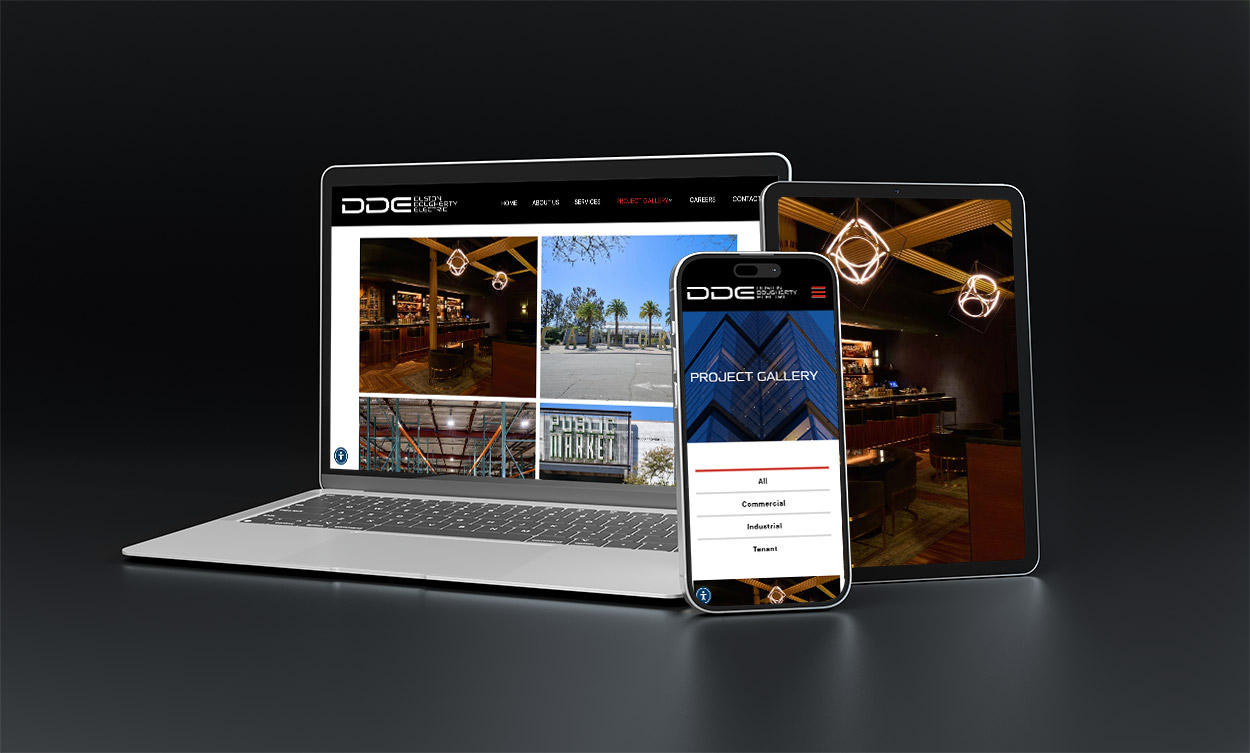
Our client hired James Adams Photography to capture realistic results of their premium electrical work
Images set the tone of your brand. Whether they’re professional product photos, lifestyle shots, or even behind-the-scenes pictures of your team, images humanize your brand and connect with visitors on a personal level.
Tip: Avoid generic stock photos whenever possible. Authentic visuals resonate far more with people.
Videos are one of the most powerful tools for engagement. A short explainer video, customer testimonial, or product demo can convey information faster and more effectively than text alone.
Example: A homepage video showing your product in action can help visitors quickly understand its value.

Our client decided to embed their 60-second commercial on their homepage to offer people a glimpse into the addiction recovery programs they provide and the positive impact on their community.
When you need to explain data, statistics, or step-by-step processes, infographics shine. They break down information into digestible visuals that people can scan and remember.
Small but mighty, icons help guide users through your site and improve readability. Custom illustrations can also give your site a unique, branded feel.

Custom FAQs graphic for 360 Web Designs by Annette Frei Design
Think sliders, clickable maps, or interactive charts. These elements encourage users to engage directly with your content instead of passively scrolling.
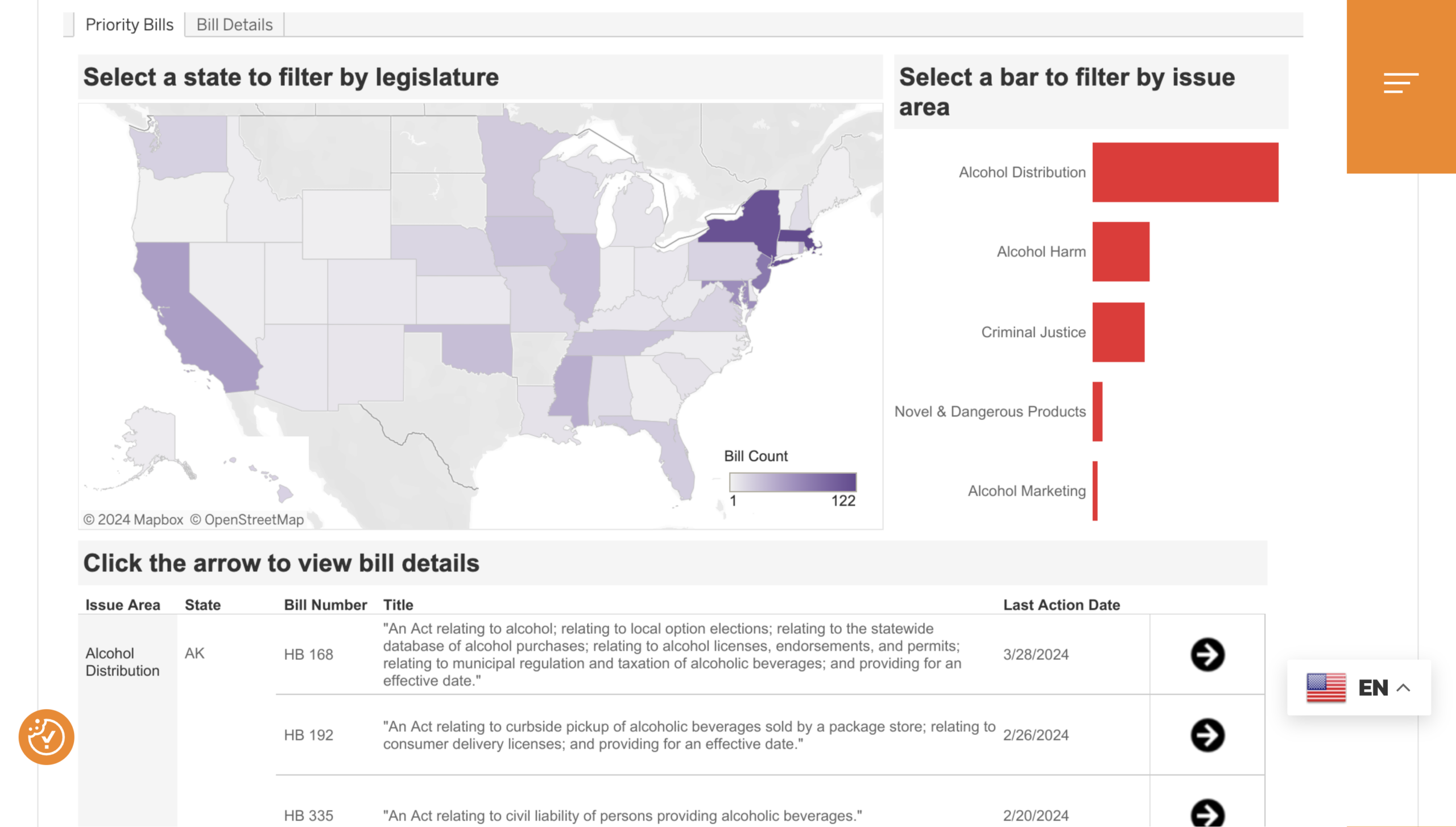
A clickable map on our client’s non profit website gives users immediate information about existing alcohol-related bills, state-by-state
Words themselves can act as visuals. The right font pairing, bold headings, and creative use of spacing can all enhance design without overwhelming visitors.
Great visuals aren’t just about sprinkling images and videos across your site. True multimedia integration means blending visuals seamlessly with text, layout, and functionality.
Here are some ways to do it effectively:
When done right, multimedia integration turns your website into more than just a digital brochure. It becomes an experience.
Visuals impact user engagement. Here’s how:
So, if you’ve been looking for ways to increase engagement metrics, start with updating your visuals. We can help you with that!
Here are some friendly, practical tips to make sure your visuals truly enhance your site:
Visuals are more than just “nice to have.” They’re a key ingredient in creating a memorable, user-friendly website. From images and videos to infographics and interactive elements, visuals help communicate your brand’s story in ways words alone cannot.
When thoughtfully combined with text and layout through multimedia integration, visuals boost user engagement, improve metrics, and add to your credibility. This, in turn, means more website conversions.
So, if your website feels a little flat, start by refreshing your visuals. Even small changes like replacing stock images with authentic photos or adding a short explainer video can make a difference.
Your audience is visual by nature. Meet them where they are, and watch your website engagement grow. Let’s talk about your next project!
Or read more on The Importance of Visual Appeal in Web Design